What Is a Random Decision Maker?
A random decision maker picks one option from a list you give it, at random. This one puts your options on a colourful wheel. Spin it, and wherever the pointer stops is your answer. Use it for what to eat, which film to watch, who goes first, or any choice where every option is fine and you just need someone to decide.
It is the many-option version of the Yes or No Wheel. The winner is picked before the wheel moves, every slice of the wheel is exactly as big as its real chance, and you can test the odds of your own list on this page.
How to Use It?
The wheel starts with a dinner list so you can try it straight away. Here is how to make it yours.
-
Type your options
Change any option by typing over it, remove one with its cross, or add a new one in the box below the list. You can also start from one of the ready-made lists.
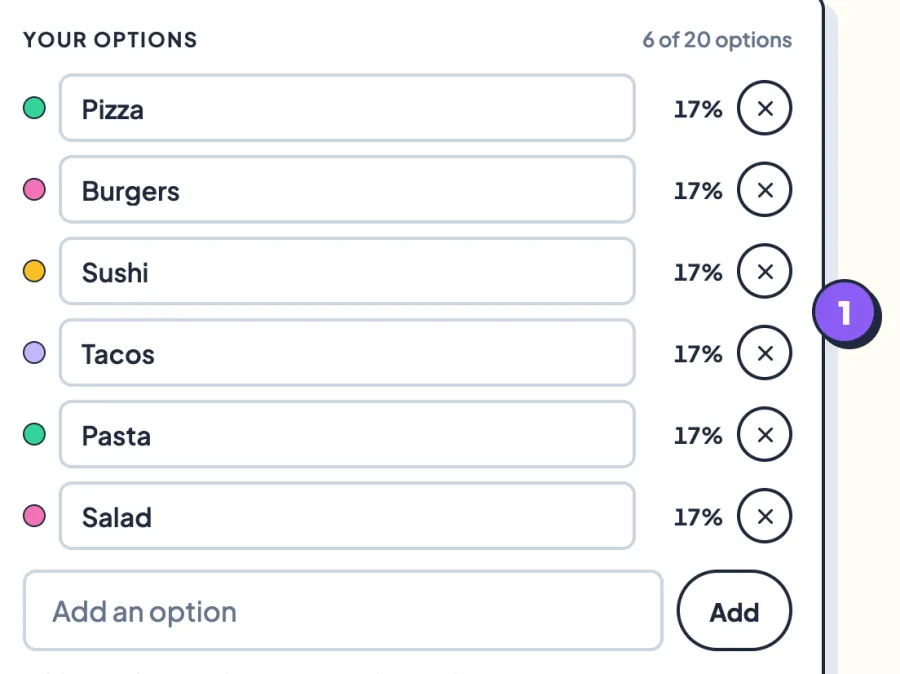
Each option shows its colour on the wheel and its exact chance. -
Spin the wheel
Press Spin, press Space, tap Spin in the middle of the wheel, or swipe sideways across it to flick it round. It ticks as each slice passes the pointer.
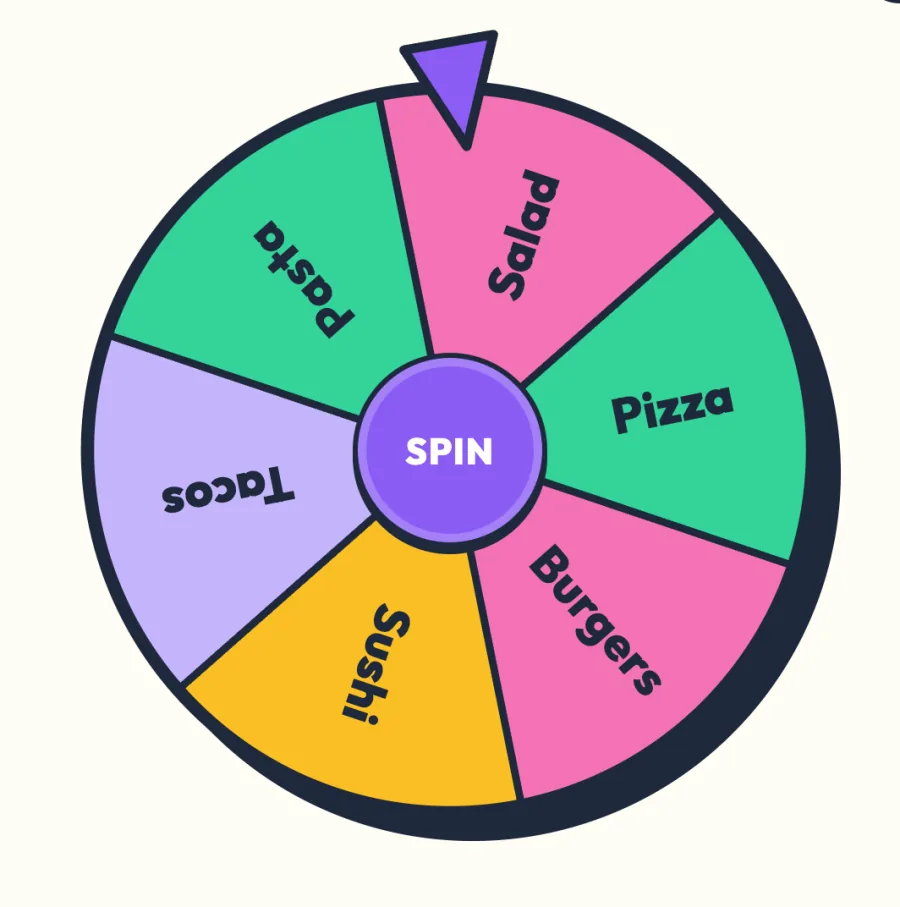
Swiping up or down on the wheel still scrolls the page on a phone. -
Read the pick
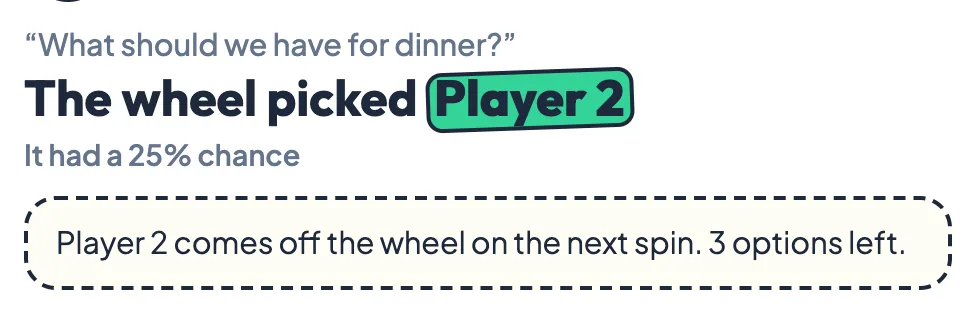
The winning slice stays bright and the card below names the pick and its chance. Tap how the pick makes you feel to see what that reaction means.
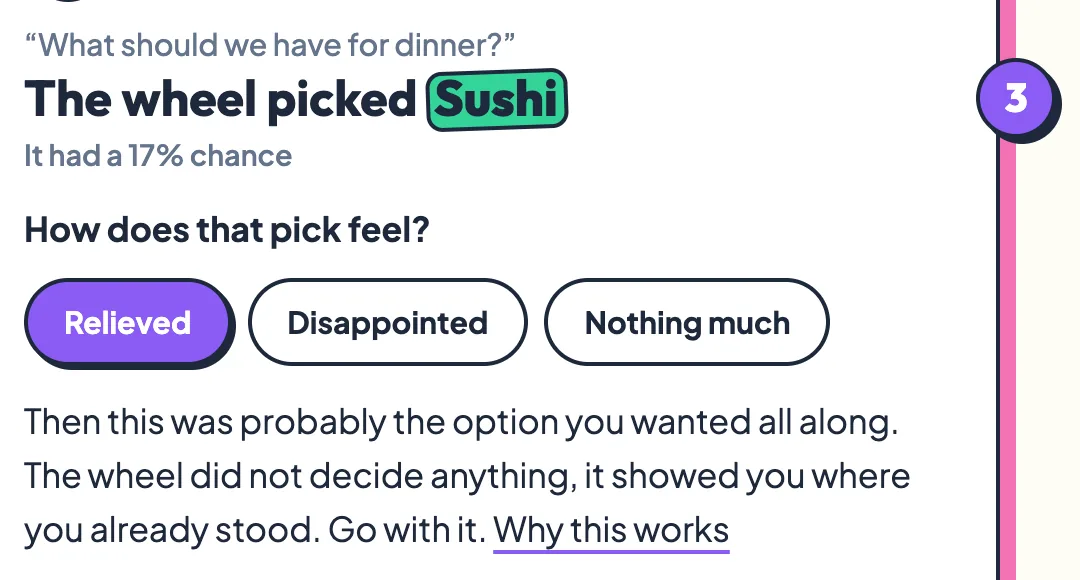
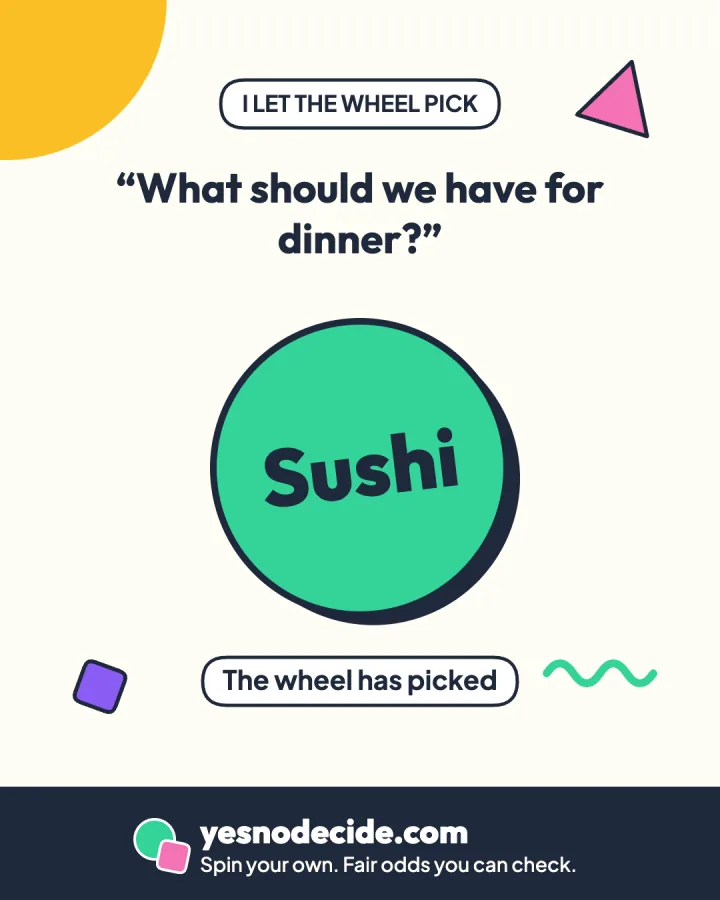
Share the pick as an image, or share the whole list as a link.
Add Your Own Options
The wheel takes from 2 to 20 options, each up to 40 characters. To add several at once, type or paste them into the add box separated by commas, such as Pizza, Tacos, Ramen, and press Enter.
- Ready-made lists. Dinner, Film genre, Weekend plans and Who goes first fill the wheel in one tap. Edit them as much as you like.
- Clear. Starts again with two placeholder options. The first options you add replace them.
- Your question. Type what you are deciding if you like. It appears on the result and on the share image, and never leaves your browser.
Give Some Options Better Odds
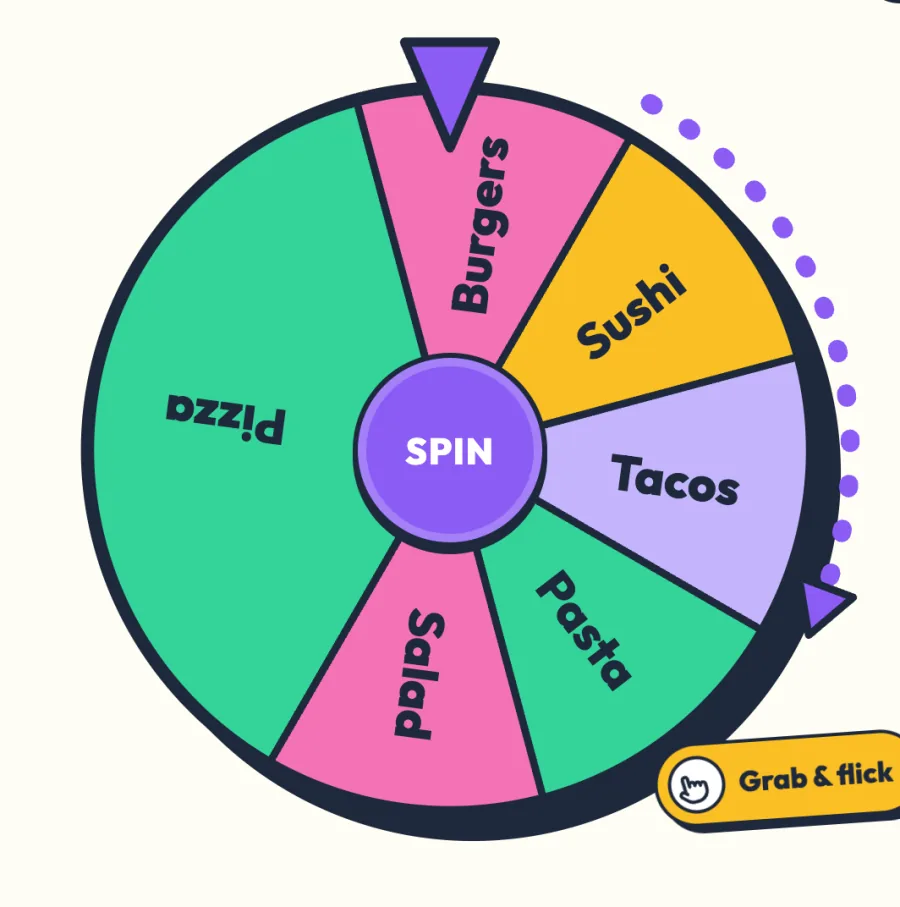
Sometimes the options are not equal. Maybe you would happily eat pizza most nights but only want sushi now and then. Switch on Weighted odds and plus and minus buttons appear next to each option, from 1x to 5x.
An option at 2x is twice as likely to be picked as one at 1x. The wheel redraws so that its slice is twice as big too, and the percentage next to every option updates as you go. Many wheel sites let you repeat an option to get the same effect. Here you can see the exact numbers instead of counting slices.
Remove the Winner and Spin Again
Switch on Remove the winner and every pick comes off the wheel before the next spin. Spin again and again to work through a whole list in a random order, until one option is left.
- Decide the order of turns in a game or a presentation.
- Pick teams one player at a time.
- Work through a list of chores, songs or restaurants without repeats.
- Knock options out one by one and keep the last one standing.
When you are done, press Start again with the full list and every option comes back.
Is the Random Decision Maker Fair?
Yes, and you can check it with your own list. The winner is chosen by your browser's cryptographic random number generator, crypto.getRandomValues, before the wheel moves. The wheel then animates to a random spot inside the winning slice. How hard you flick it changes how long it spins, never which option wins.
The test below picks from the options on the wheel right now, 10,000 times, using the same code as the Spin button. Change the list or the weights and run it again.
Pick 10,000 times
Your current list and odds
Each bar will show how often an option was picked, against the line for its exact chance.
The same random code runs the Yes or No Wheel, the coin flip and the magic 8 ball.
What I Found Picking a Million Times
On 31 October 2026 I ran this page's own picking code a million times for each list below, with the same random function as the Spin button, and wrote down what happened.
| Test | What happened | Exact odds predict |
|---|---|---|
| Six options, equal odds | Each picked between 16.58% and 16.71% of the time | 16.67% each |
| Pizza at 3x, five others at 1x | Pizza 37.54%, the others 12.45% to 12.52% | 37.5% and 12.5% |
| Remove the winner, 4 players, 100,000 full rounds, chance of going first | 24.82% to 25.22% each | 25% each |
| Same rounds, chance of being the last one left | 24.92% to 25.10% each | 25% each |
The last two rows matter if you use Remove the winner for turn order or team picks. Taking each winner off the wheel does not favour whoever was typed first or last. Across 100,000 rounds every player was equally likely to finish in every position, to within 0.22 percentage points.
Why Picking From a List Feels So Hard
In a well-known study, psychologists Sheena Iyengar and Mark Lepper set up a tasting stand for jams in a supermarket. When it offered 24 flavours, more shoppers stopped to look, but only about 3% of those who stopped bought a jar. When it offered 6, about 30% did. They called the effect choice overload. More options can make a choice feel harder, and make you less sure you chose well.
The effect is real but not universal. A review of 50 experiments by Scheibehenne, Greifeneder and Todd found that on average, more choice made little difference, and that overload seems to depend on the situation, for example whether people already have a clear favourite. When you have none, a random pick helps. If every option on your wheel would be fine, the time spent choosing is the only real cost, and a wheel removes it.
Ideas for Your Wheel
Food and drink
- What to have for dinner, or which takeaway to order
- Which restaurant to try this weekend
- Whose turn it is to cook or wash up
Films, books and games
- Which film or series to watch tonight
- Which book from your pile to read next
- Which board game to play, and who goes first
School and work
- Pick a student to answer, or the order of presentations
- Choose which task to start on first
- Pick a winner for a small team prize
Days out and plans
- Where to go for a walk or a day trip
- Which friend to call this week
- What to do on a rainy Sunday
How to Get a More Useful Answer
Only list options you would accept
If one option would make you spin again, take it off before you start. A wheel is only useful when every slice is a pick you would actually go with.
Weight your favourite, then watch
Give your gut favourite 2x or 3x and spin. If it loses and you feel relieved, you have learned more than the pick itself could tell you.
Spin once
Wanting to spin again is a reaction too. It usually means the pick was not the one you hoped for, which is the idea explained on the Yes or No Wheel page. Keep the wheel for choices where every option is acceptable, never for health, safety or money.
Games to Play With the Wheel
- Dare wheel. Everyone adds one harmless dare. Spin with Remove the winner on, and each player takes the next dare.
- Category quick fire. Fill the wheel with categories such as animals, cities or bands. Spin, and the first person to name three things in that category scores a point.
- Mystery menu. Each person secretly adds a dish to the list. Spin once, and the winner cooks or orders it.
How to Share Your List with Friends?
After any spin, press Share result to turn the pick into an image with your question and the winning option. Press Share this list to send a link that opens this page with the same options, weights and question already on the wheel, so a friend can spin it or you can come back to it later.
The list travels inside the link after a # sign. Browsers never send that part of a link to a server, and the page removes it from the address bar as soon as it opens.
Need Another Way to Make a Decision?
We Want to Hear Your Feedback
Found a bug, want a new ready-made list, or have an idea for the wheel? Every message is read, and the best ideas end up on the page.
Email usYou can also reach us through the contact page.
Frequently Asked Questions
Is the random decision maker really random?
Yes. The winner is picked by your browser's cryptographic random number generator before the wheel starts to turn, and the wheel then lands on it. With equal odds every option has exactly the same chance. You can check it with the 10,000 pick test on this page.
How many options can I add?
From 2 up to 20. Each option can be up to 40 characters long. Long options are shortened on the wheel itself but shown in full in the result.
How do weighted odds work?
Switch on Weighted odds and give each option a weight from 1x to 5x. An option at 2x is twice as likely to be picked as one at 1x, and its slice of the wheel is twice as big. The exact percentage for each option is shown next to it.
Can I remove an option after it is picked?
Yes. Switch on Remove the winner. Each pick comes off the wheel before the next spin, which is useful for turn order, team picks or working through a list. Press Start again with the full list to bring every option back.
Does the wheel remember my list?
Not between visits. To keep a list, press Share this list after a spin and save the link. Opening the link puts the same options back on the wheel.
Is my list sent anywhere?
No. Your options and question stay in your browser and are never sent to our server or our analytics. A shared list travels inside the link after a # sign, which browsers never send to a server.
Can I use it to pick a student or a winner?
Yes, for classroom turns, games and small friendly draws. For a prize draw with legal rules, such as a paid raffle, use a method that is recorded and witnessed, as the rules require.
Sources
- Iyengar and Lepper (2000). When choice is demotivating. Can one desire too much of a good thing? Journal of Personality and Social Psychology, 79(6), 995 to 1006.
- Scheibehenne, Greifeneder and Todd (2010). Can there ever be too many options? A meta-analytic review of choice overload. Journal of Consumer Research, 37(3), 409 to 425.
- Jaffé, Reutner and Greifeneder (2019). Catalyzing decisions. How a coin flip strengthens affective reactions. PLOS One.
- MDN Web Docs. Crypto.getRandomValues() method.